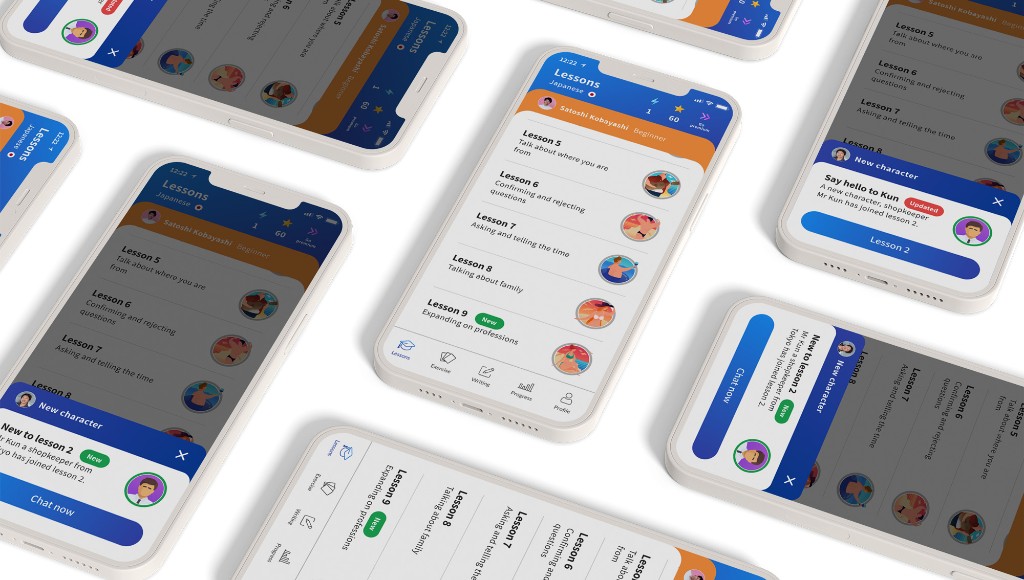
Version 5
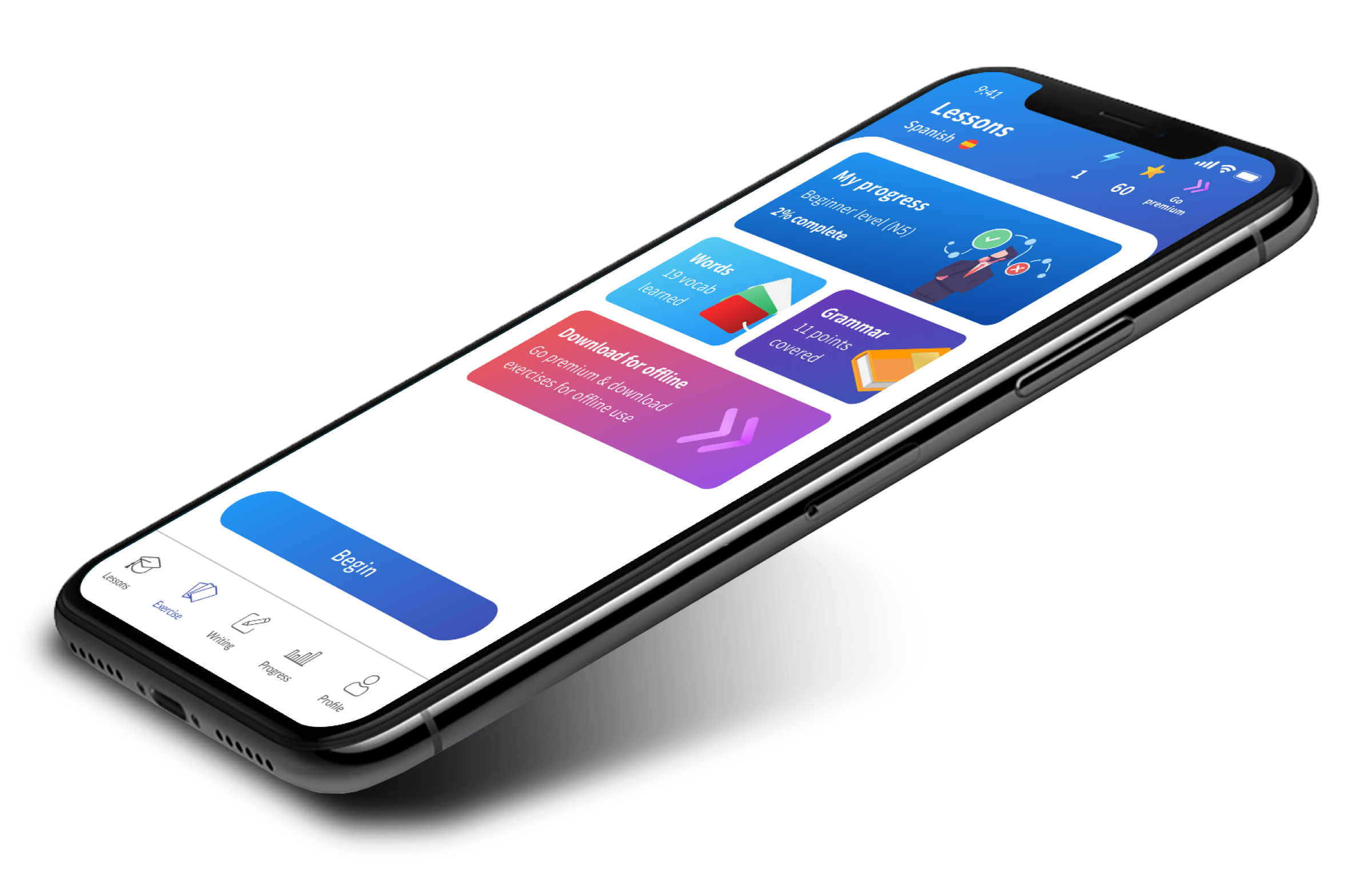
Lessons felt more static, with limited interaction states, weaker recovery moments and less guidance when learners became stuck.
01 Case Study
Designing an AI-powered language learning experience around confidence, motivation and retention.
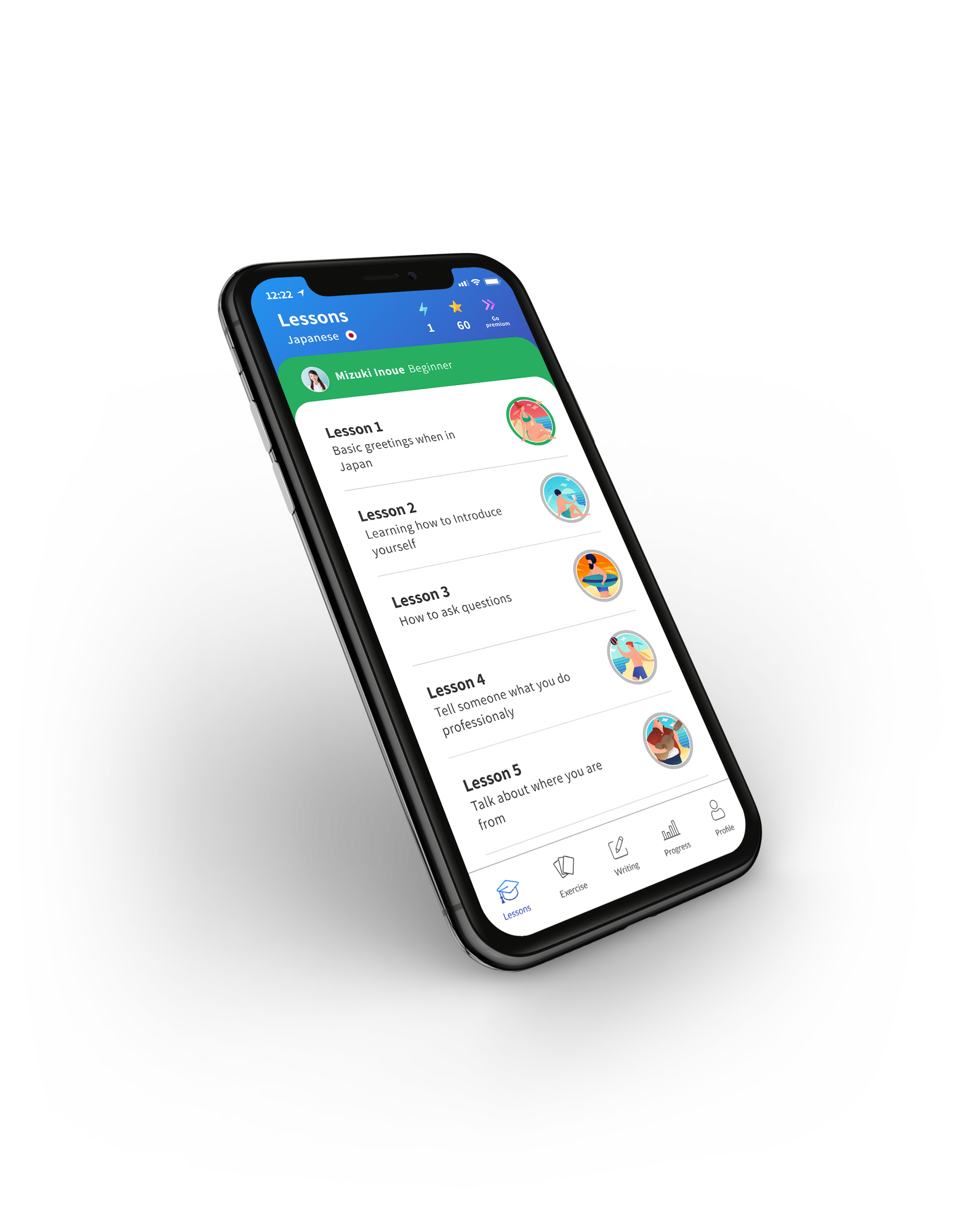
As founding product designer, I led the end-to-end design of a native iOS and Android language learning app, shaping the lesson experience, onboarding, writing interactions, gamification, experimentation and conversion journeys. The challenge was not only helping people learn a language, but helping them feel confident enough to keep going.
+25%
Lesson completions after Suggestion
3.8%
Conversion at Version 7
+35%
Retention uplift through gamification
62% NPS
Writing feature score

02 Overview
Kaizen was built around a different way of learning languages: AI-powered conversation instead of traditional classroom or video-based learning. That created a complex product challenge. Users needed to understand how the product worked, feel comfortable speaking to AI, recover from mistakes and stay motivated long enough to build a habit.
As founding product designer, I shaped the mobile experience from early discovery through optimisation, working across lesson design, onboarding, conversion, analytics, gamification and writing-based learning systems.

I owned the product design from discovery through optimisation — across UX, UI, research, analytics, workshops, guidelines, product foundations and hands-on delivery. Because Kaizen was an early-stage product, the role required both strategic thinking and execution.
03 The challenge
The core challenge was not simply helping users complete lessons. It was helping them build confidence. Speaking to AI felt unfamiliar and high pressure. When users made pronunciation mistakes, repeated correction often created frustration and drop-off. The product needed to feel educational, responsive and encouraging without removing the challenge of learning.
How might we design a language learning experience that feels adaptive, rewarding and behaviourally sustainable over time?

05 Discovery and research
To design a credible learning product, I needed to understand both the educational and behavioural side of language learning. The research focused on how learners build confidence, where they lose momentum and what type of support helps them continue after making mistakes.
To avoid testing with generic app users, I recruited people actively learning Japanese through language schools, meetups, comic stores, WeWork, flyers outside independent classes and remote platforms such as UserTesting and TryMyUI. This helped validate the product with learners who were already experiencing the motivation, confidence and pronunciation challenges the app needed to solve.
04 Key user insight
The biggest friction was not simply “learning a language”. It was the emotional barrier inside the lesson. Users were often unsure whether they were pronouncing things correctly. When correction repeated without enough support, the experience started to feel punitive rather than helpful.
Confidence mattered as much as correctness
Repeated correction created frustration
Users needed help recovering when they got stuck
The lesson flow needed to support progression, not just identify errors
Feedback needed to feel encouraging, contextual and actionable
Beginners needed a stronger foundation before being pushed into more advanced content
Learners were not dropping out because they lacked content. They were dropping out because the experience did not always help them recover when confidence broke down.
06 Core lesson experience
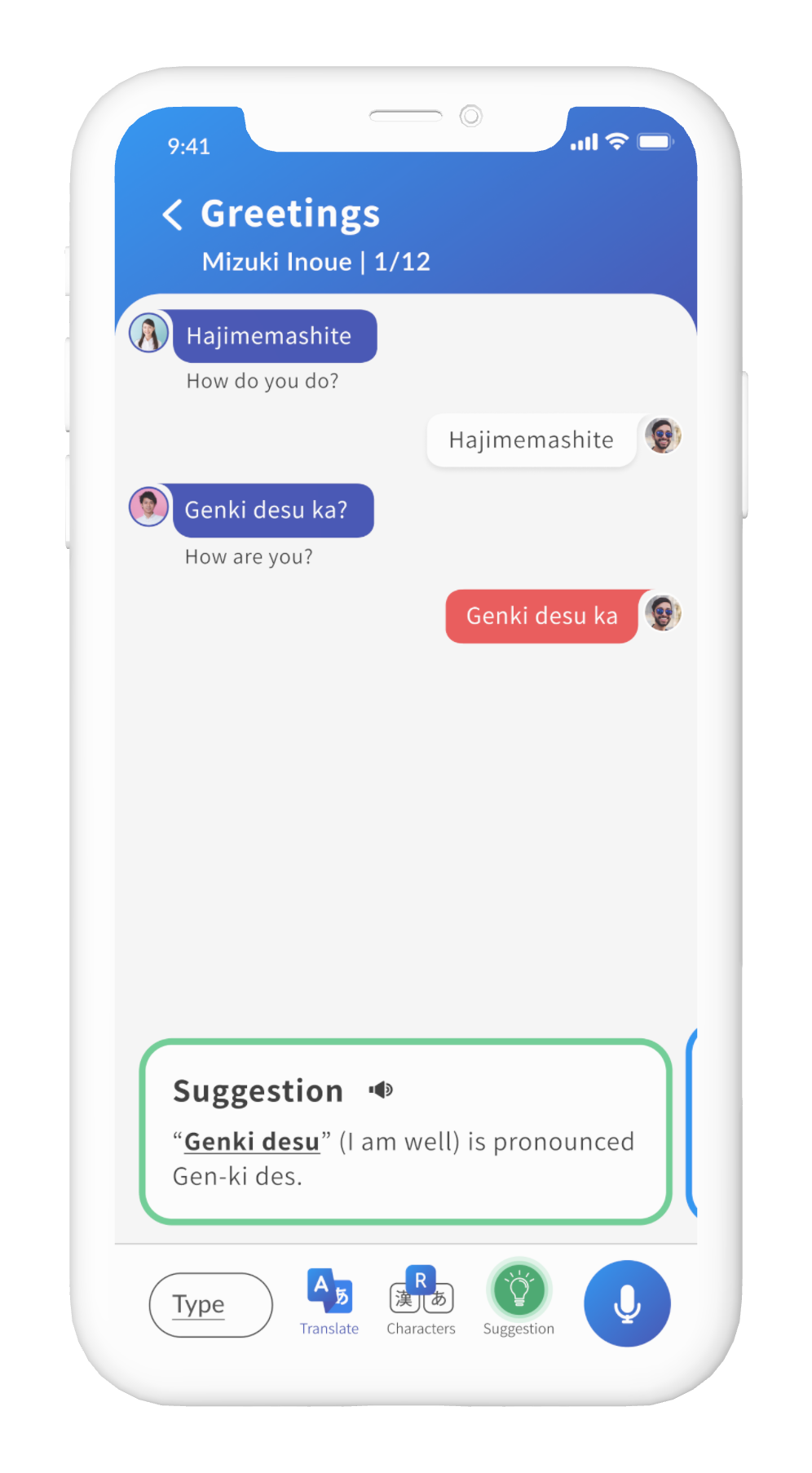
One of the core product problems was how to translate a chat interface into an effective lesson environment. The messaging experience had to do more than look like chat. It had to teach. I explored how users would distinguish AI responses from their own, replay audio, view translations, understand errors and hear slowed-down pronunciation.

Through guerrilla testing and recorded sessions, I found a recurring issue: users often believed they were saying the right word, but still received errors. After repeated failed attempts, frustration increased and lesson drop-off rose sharply. Correction alone was not enough support.
Users needed help recovering from mistakes, not just being told they were wrong.


07 Design decision
To reduce frustration, I introduced Suggestion, a support card that broke pronunciation into simpler syllables and allowed users to hear the word more slowly. The goal was to preserve challenge while giving users a way through moments of failure. The design was triggered after repeated errors, directly inside the lesson flow.
Suggestion gave learners a clearer recovery path when pronunciation failed, without removing the learning challenge.
08 Iteration
Lessons felt more static, with limited interaction states, weaker recovery moments and less guidance when learners became stuck.
Version 6 introduced AI typing states, clearer options, drawer cards, grammar prompts and more supportive recovery moments, making the experience feel more responsive and easier to continue.
Conversion rose from 1.6% in Version 5 to 2.7% in Version 6, a roughly 70% uplift, with Version 7 later reaching 3.8%.
09 Product strategy
A key strategic moment in the project was challenging the initial direction from the CEO and CTO. The business wanted to add more intermediate and expert-level lessons to increase revenue and reduce churn. But research suggested that our strongest opportunity was not simply adding more content.
Most of our audience was still at the novice or beginner stage. Before asking users to progress into harder lessons, they needed a stronger foundation in the writing system itself. I proposed shifting focus towards Hiragana and Katakana, creating a feature that helped beginners learn character recognition, stroke order and recall through guided interaction.
This moved the product strategy from “add more lessons” to “strengthen the learning foundation”.
Design decision: Prioritise foundational confidence before advanced progression.
Challenged the assumption that more advanced content would reduce churn
Used research to identify beginners as the higher-impact audience
Proposed a foundational writing feature focused on Hiragana and Katakana
Positioned Kanji as a later progression once the learning model was validated
Connected beginner confidence to long-term retention and subscription value
Design judgement
Conversational learning depends on confidence, but speech recognition and repeated corrections can quickly create frustration. I focused on recovery moments that helped learners continue without feeling punished by the technology.
When learners struggled to pronounce unfamiliar words, I introduced a suggestion card that broke difficult words into syllables and let users hear slowed audio before trying again.
Analytics showed that some learners were leaving lessons when microphone recognition failed repeatedly. I introduced a skip option after a minimum number of corrections so users could continue without abandoning the lesson.
10 Writing system
To design the writing feature, I first needed to understand how Japanese characters are traditionally learned. I studied Genki and beginner learning methods to understand how Hiragana and Katakana are introduced through character groups, repetition, stroke order and recall.
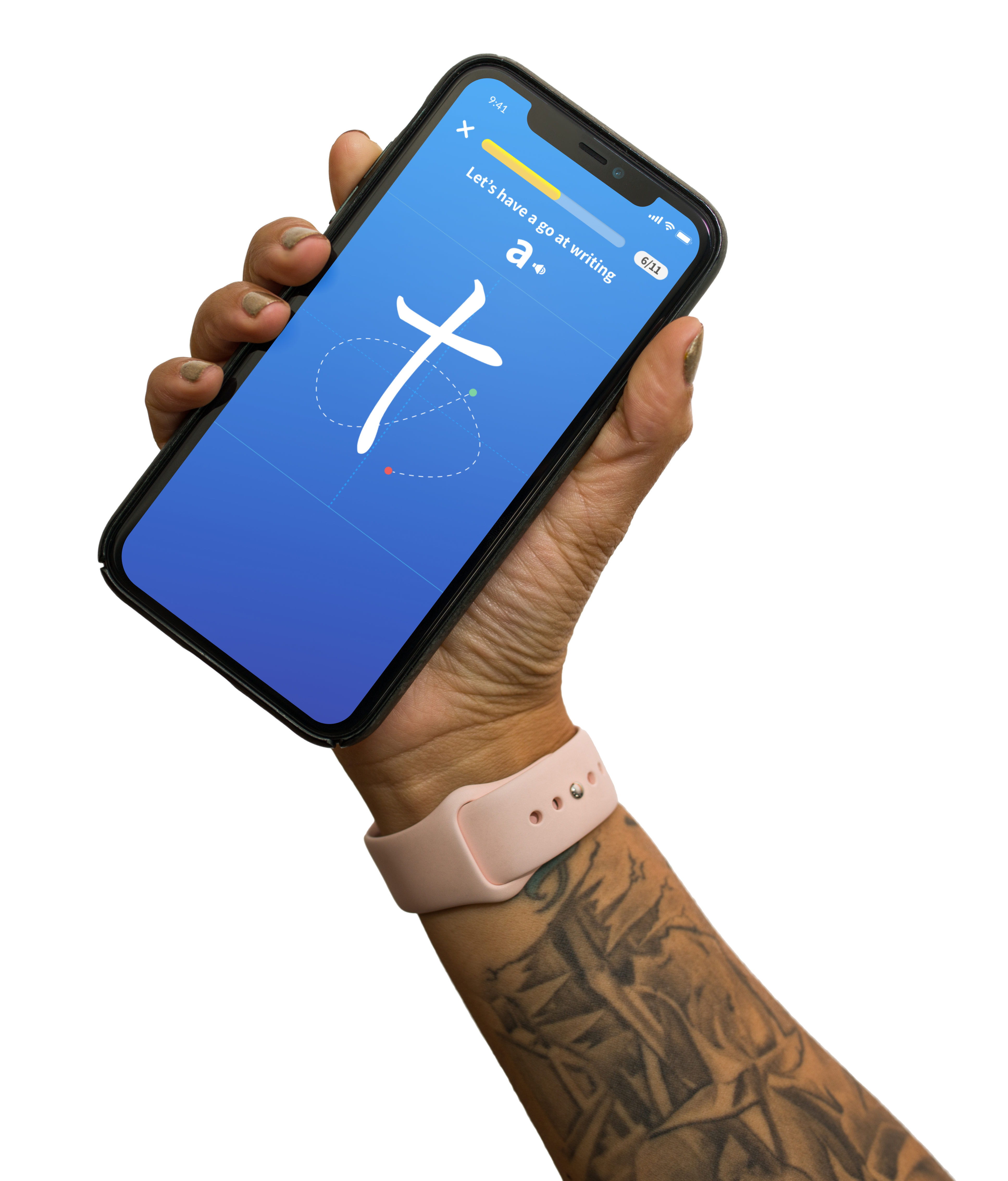
The goal was not simply to show users a character. It was to help them understand how each character is formed, practise the movement and then recall it later without support. I broke the learning journey into character sets, starting with the first Hiragana group: A, I, U, E, O.
Each stroke used a green start point and a red end point to guide the user. The dashed line showed the correct stroke path at the easiest level. As the user progressed, the help was gradually removed so they could build confidence and memory.
Level 1
Dashed line, green start point and red end point are visible.
Level 2
Dashed line is removed. Only the green and red points remain.
Level 3
All guidance is removed and the user has to recall the character independently.


At the end of each character set, users completed a short quiz combining characters they had learned. For example, after learning A, I, U, E, O, users were shown AO, meaning blue in Japanese — helping users feel that the writing exercise had practical value beyond isolated character practice.
I worked closely with language specialists to define the character sets, pronunciation and quiz logic. I also collaborated with developers to understand the technical constraints of stroke recognition, including the acceptable drawing area, stroke size and preventing users from completing the interaction by drawing outside the required path.
62% NPS in testing, 12% above average. In testing, users were highly engaged with the writing mechanic and were able to recall the majority of characters during the final quiz.
The writing feature shifted the experience from passive learning into active practice, giving beginners a clearer sense of progress and achievement.
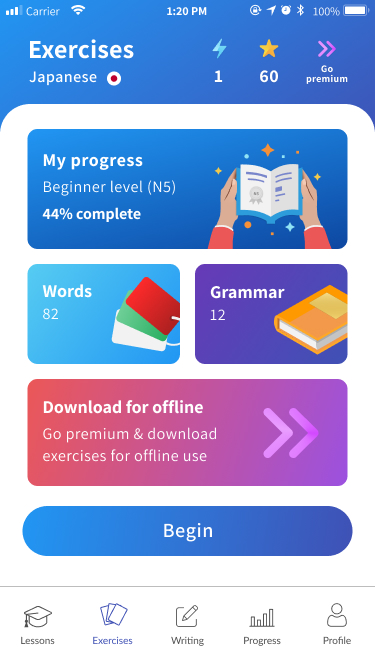
11 Gamification
To improve retention, I explored how successful learning products sustain engagement over time. Through competitor analysis, particularly studying Duolingo, it became clear that gamification is not just a feature. It is a behavioural system.
I introduced a gamified system designed to support daily learning behaviour, including streak mechanics, reward structures, progress markers and future-facing ideas such as streak freezes, repairs and leaderboards.

12 Conversion
I used analytics and A/B testing to understand how lesson access influenced subscription behaviour. One experiment tested whether offering 2 or 3 free lessons per day led to stronger premium conversion. The data showed that limiting access to 2 free lessons increased subscription conversion from 1.15% to 1.3%, resulting in a 13% increase in premium customers.
This was not about adding friction for the sake of conversion. It was about finding the right balance between giving users enough value to understand the product and creating a clear reason to subscribe.
+13% increase in premium customers.

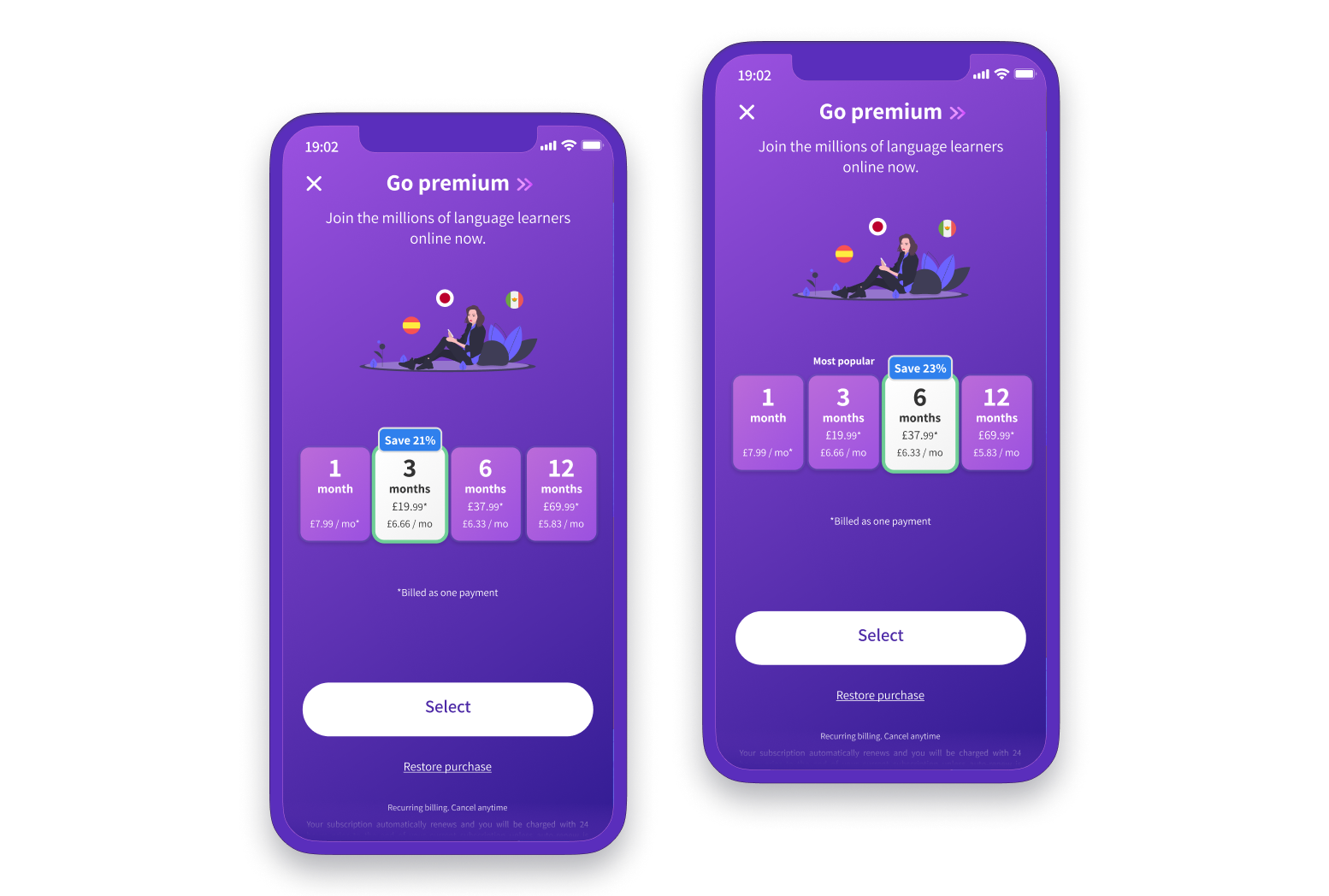
Another experiment focused on the subscription screen, specifically the placement of the Most Popular label. By testing which plan was framed as the recommended option, the team found that moving the label increased 6-month subscriptions by more than 20%. It showed that not every gain requires a major redesign. Sometimes clearer framing changes decision-making.
More than 20% increase in 6-month subscriptions.

I also pushed for lower-friction sign-up patterns, including social sign-in. This was initially debated with stakeholders, but the rationale was clear: fewer fields and fewer decisions reduce friction at the point of entry.
Small interaction changes mattered because the product depended on momentum. Every moment of friction risked breaking the learning habit.
Proof
Research, moderated testing and product analytics challenged the assumption that more advanced content alone would improve retention. The strongest gains came from recovery design, beginner foundations and small, measurable experiments.
Giving learners the option to switch between Romaji, Hiragana and Kanji gave them more control over difficulty and increased lesson completion by 25%.
The writing feature was shaped around stroke order, repetition and recall, then validated with a 62% NPS, 12% above average.
A/B testing showed that moving the ‘most popular’ label to the 6 month plan increased 6 month subscribers by more than 20%.
The product direction shifted from adding more content to designing the confidence loops that helped learners keep going.
13 Impact
The writing feature became one of the strongest indicators that beginner-focused learning could create deeper engagement. It showed that users valued active practice, guided progression and the feeling of genuine learning achievement.
Alongside moderated testing, I used Firebase funnels, Hotjar and A/B testing to understand where learners dropped off, which lesson changes improved completion, and how pricing presentation affected subscription behaviour.
14 Decisions
15 Reflection
Kaizen showed me that successful learning products are not simply educational systems. They are behavioural systems.
Retention was driven less by content volume and more by confidence, emotional reinforcement, progress visibility and habit sustainability.
The project shifted the design challenge from “How do we teach language?” to “How do we help people continue learning?”
Designing for learning behaviour required balancing
This project shifted the product from simply adding more content to designing the confidence loops that helped learners keep going. The biggest improvement came from combining research, analytics and small product experiments to reduce friction, support recovery and make progress feel more achievable.
16 Retention
Once the core lesson experience improved, the next challenge was retention. I looked at how learning products create momentum and studied gamified patterns used by competitors. This led to the introduction of streaks and reward systems that encouraged daily return behaviour.